
Features

Everything Tau can do — from recording your first timelapse to exporting it exactly how you want.

record from any source

record your screen, your camera, or both at once. capture coding sessions, design work, creative processes - from any source your system supports.

learn more
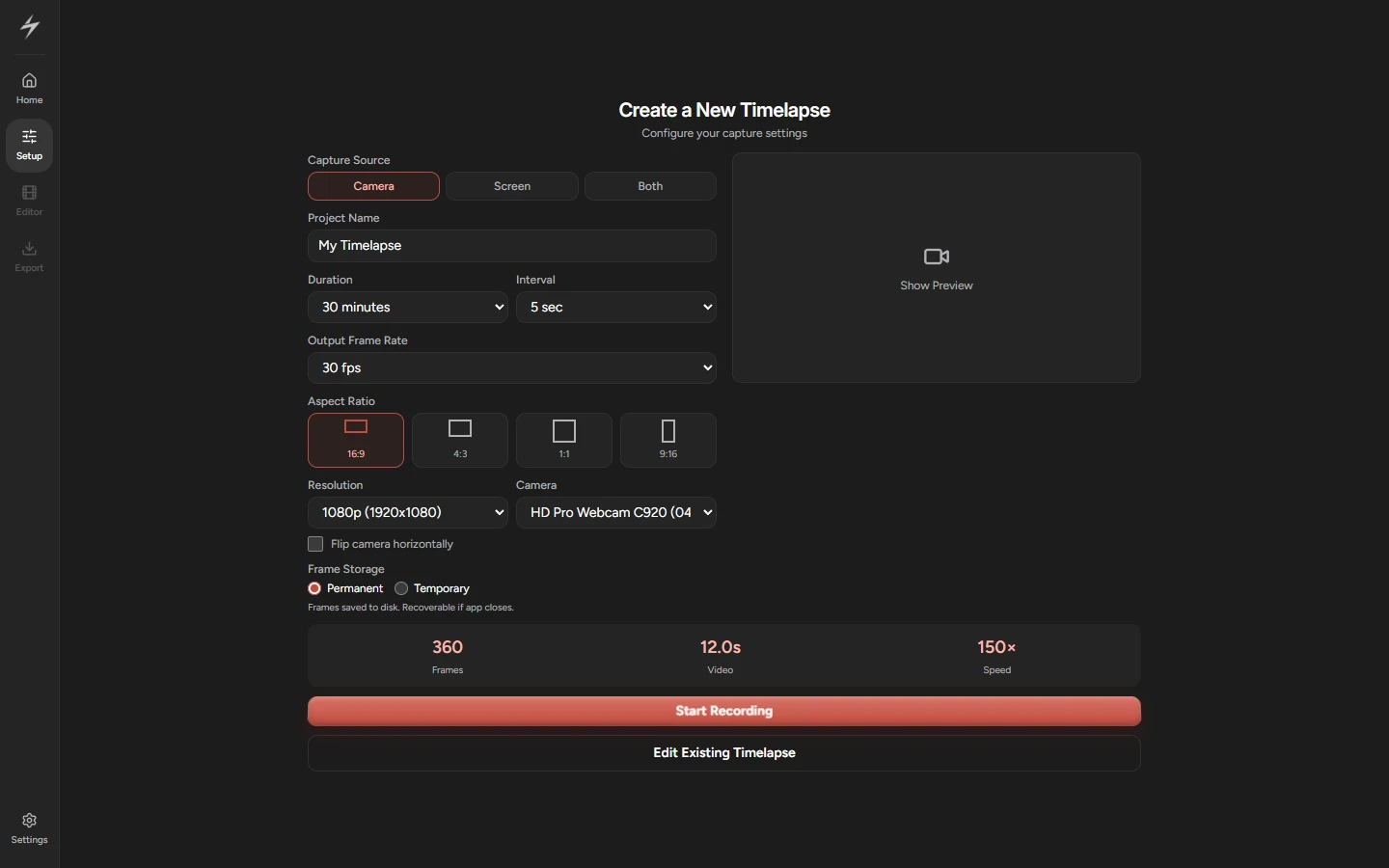
tau's capture setup: camera, screen or both offered as the source with camera selected, a 30-minute duration at a 5-second interval, 1080p at 16:9, and a summary reading 360 frames, 12 seconds of video, 150x speed.

smart timer overlays

add clock, stopwatch, custom font and many other overlays to give your timelapses personality.

learn more
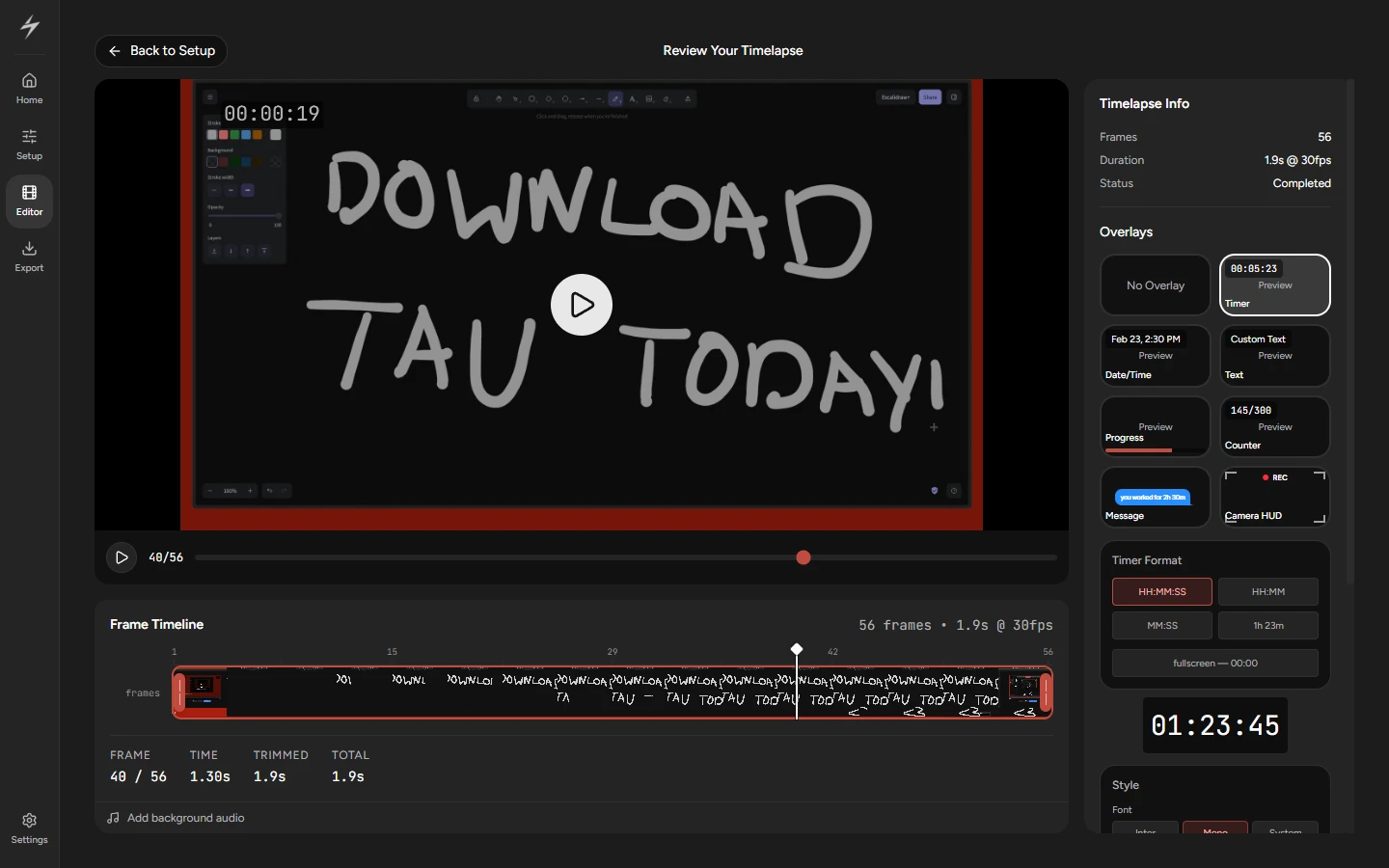
tau's overlay picker showing timer, date and time, custom text, progress, counter, message and camera hud options, each with a live preview, and a timer overlay reading 00:00:19 rendered on the timelapse.

minimal editor

trim and export without the bloat of a full video editor.

learn more
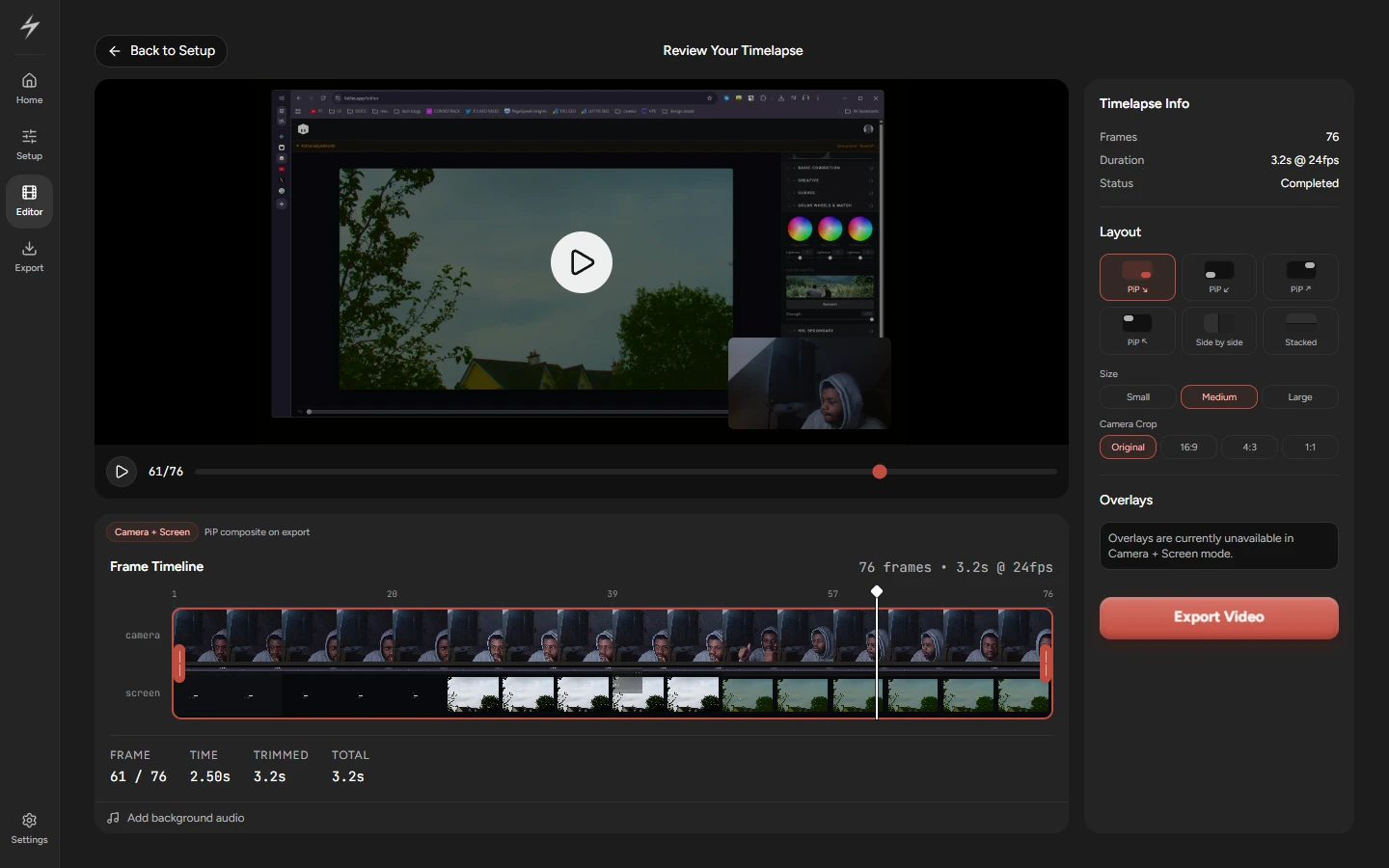
tau's editor showing a screen recording with the camera inset in the corner, a two-track frame timeline of camera and screen thumbnails, and a readout of frame 61 of 76 across 3.2 seconds at 24fps.

export to multiple formats

one click to mp4, gif, webm ready for twitter/x, youtube, or wherever you share.

learn more
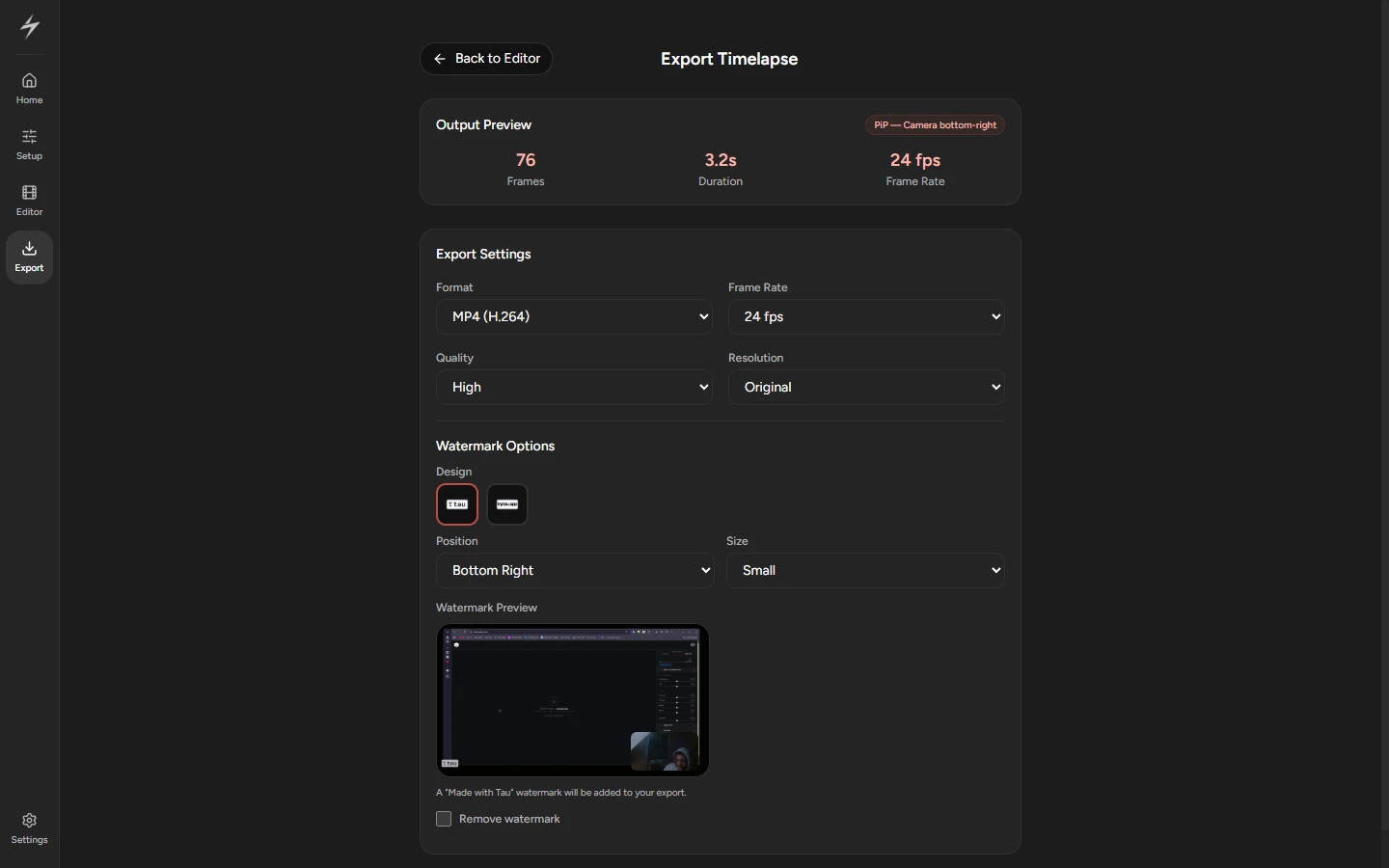
tau's export screen set to mp4 at 24fps, high quality and original resolution, with watermark design, position and size options beside a live watermark preview.